BabelPad (Version: 6.2.0.3) is a text editor or word processor that comes with a lot features, especially if Unicode, fonts or foreign languages are concerned. BabelPad supports rendering to make different language display properly, in particular it uses Microsoft’s Uniscribe services. It is made to ease rendering of different fonts, simplified and traditional Chinese for example. It supports CR and LF new line formats, left to right and right to left layouts, encoding like UTF-8, UTF-16, UTF-32, ISO-8859-8 (Hebrew), ISO-8859-6 (Arabic), Windows CP 1258 (Vietnamese), EUC-JA (Japanese), TSCII (Tamil) and many more and saves files in some and auto-detects them in many cases too.
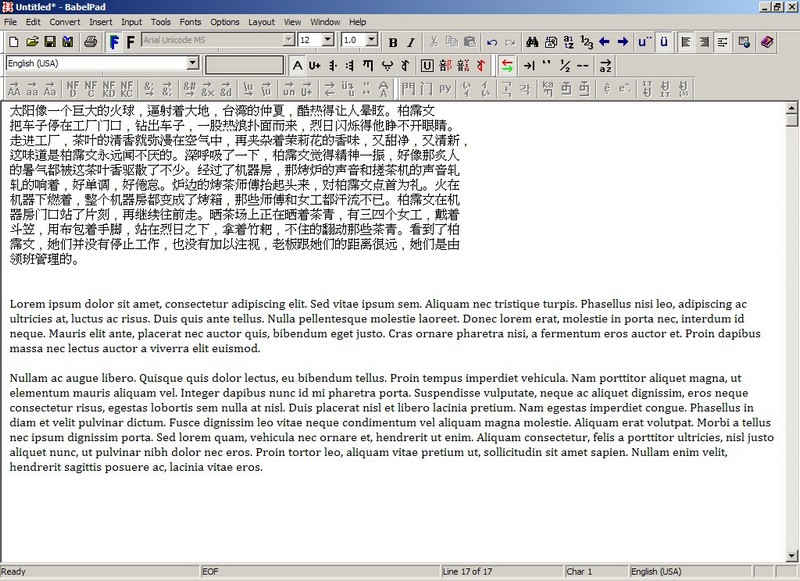
Other features are drag and drop files, multiple undo/redo and an option to auto-indent text as you type, open large files and not only do a normal find and replace but batch replace whole series of words (Edit —> Batch Replace). Text conversion is another part of its strength in Unicode. It can convert case for multiple encodings and languages, between simplified and traditional Chinese, HTML entities to Unicode characters and lots more like it.
Other tools included are font coverage, analysis and information to provide info about an open document or any section of one. An advanced character frequency and character map with 1000s of character and symbols. An Advanced Character Search tool (Tools —> Advanced Character Search) where it can scan an open document for every kind of character combination one can come up with (see image.)

BabelPad is less than a 3MB download and the few words above are just scratching the surface of the number of options available. It can run on Windows 2000 and newer and is made available in a portable version by portableapps.com

